Buy Servers and Domains in AIO
Introduction
This guide will show you how to purchase servers and domains within AIO.
Before getting started, make sure you have all the necessary accounts added to AIO: a DNS Provider, a Server Provider, and a Domain Provider. If you haven’t added any accounts yet, please refer to: How to Work with Server, Domain, and DNS Providers in AIO.
How to Create a Server in AIO
Before adding any domains, you must first create a server for future domains to point to.
- Go to Settings→ Servers →+Server.

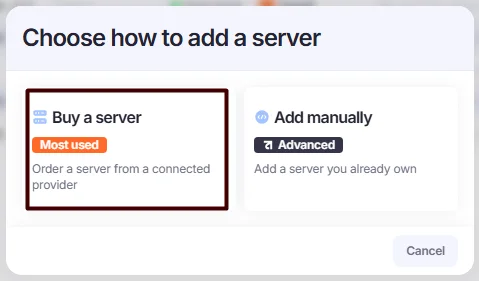
- Select Buy a Server.
To add a server manually, refer to Manually Add Domains and Servers.
- Fill in the fields:
- Description: Enter any description.
- Tags: Add relevant tags.
- Repoint Group: Enter any value. Repoint groups help organize and assign domains to specific servers during autorepointing, preventing domain/server mixing across different verticals.
- Server Provider: Select the account you previously added.
- Deployment: Choose AIO Agent&Squid.
- Monitoring User: Select a monitoring user who will receive notifications from the AIO Tech Bot when the server is down or up again. Only users with 2FA enabled can be assigned this role.
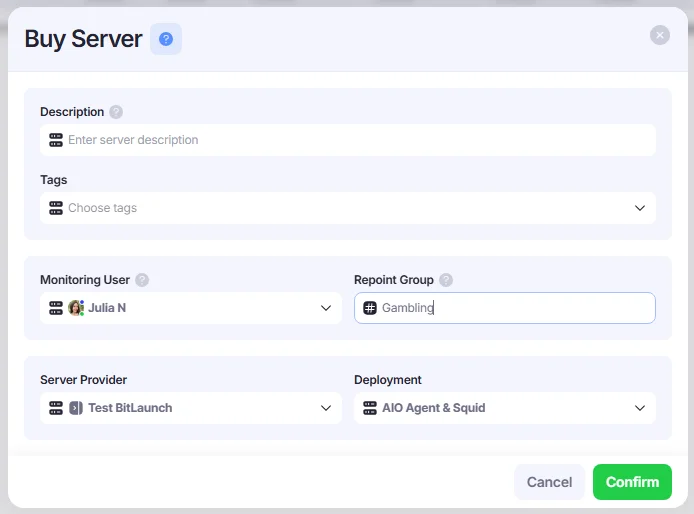
- Click Confirm to save your server.
If the server is installed and working well, it will be marked in grey.
A disabled or failed-to-create server is marked in red.
How to Buy a Domain in AIO
- Go to Domains →+Domain.

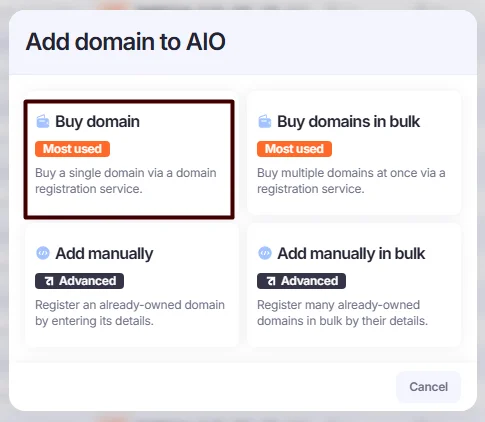
- Select Buy Domain. Alternatively, you can add multiple domains at once. To do so, select Buy Domains in Bulk.
To add a domain manually, refer to Manually Add Domains and Servers.
- Fill in the fields:
- Domain Provider – Enter the Domain Provider.
- Server Provider – Select the necessary account from the drop-down list.
- DNS Provider – Select the necessary account from the drop-down list.
- Domain to Buy – Enter the domain name you wish to purchase, or generate a random one by clicking the refresh button.
- Monitoring User – Select a user responsible for monitoring the domain. If the system detects an issue with the domain, this user will receive a message in Telegram from @aio_tech_bot.
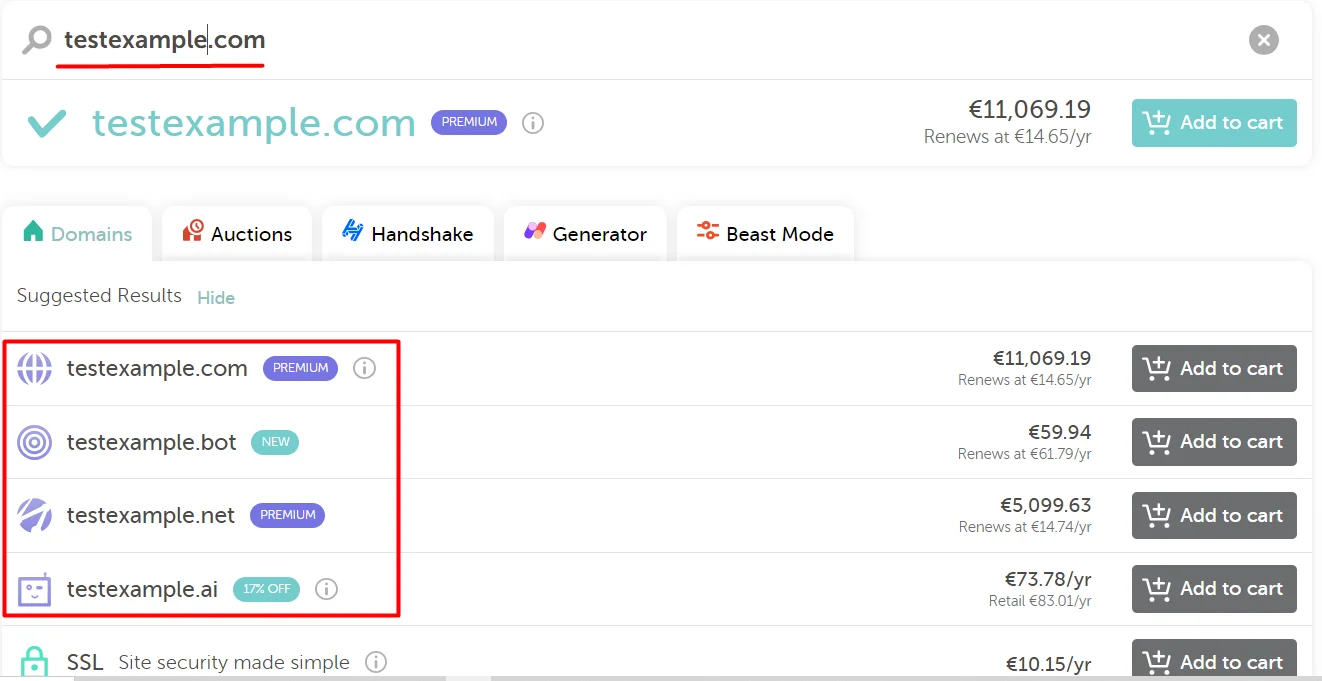
We have API integrations with NameSilo, Namecheap, GoDaddy, and Dynadot, but it's recommended to visit the respective websites directly to choose the domain you wish to purchase and check the price.
Example - checking the domain availability and price on Namecheap
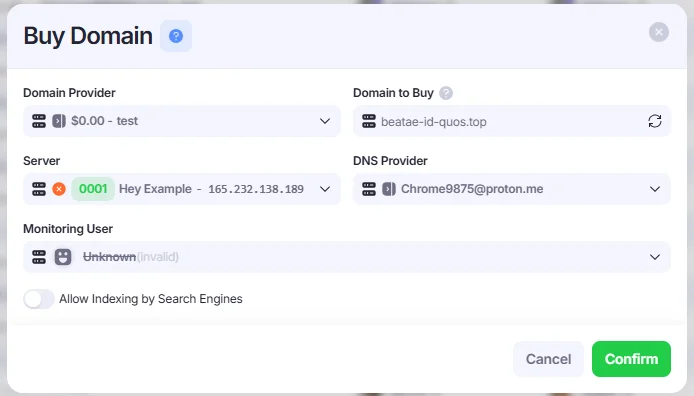
- Click Confirm to save your domain.
How to Repoint Domains
- Go to the Domains section.

- Right-click the desired domain → DNS→Repoint to a new server.
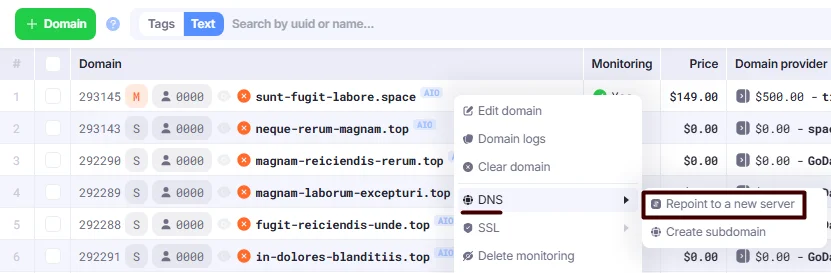
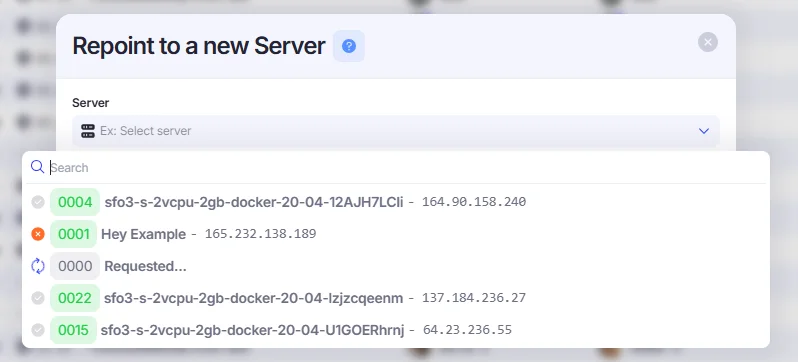
- Select a new working server from the list. If you don’t have any spare servers available, you can follow these instructions to create them.