Generate Links
Introduction
The Link Generator is a tool for generating and managing campaign links.
It enables you to:
- Generate URLs that direct users to specific Campaigns (typically redirecting to Landing Pages associated with the Campaign).
- Access the Link History, which stores previously generated links.
- Encrypt links and debug encrypted links.
How to Access the Link Generator
There are three ways to access the Link Generator:
- Via the action menu.
1. Go to the Campaigns tab.
- Right-click on the desired Campaign and select Link Generator from the Action Menu.
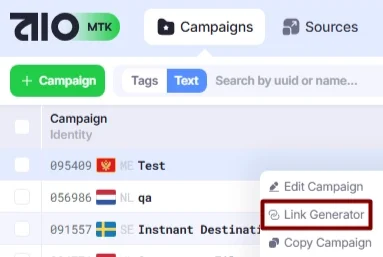
- Via the Edit Campaign window→Link Generator.
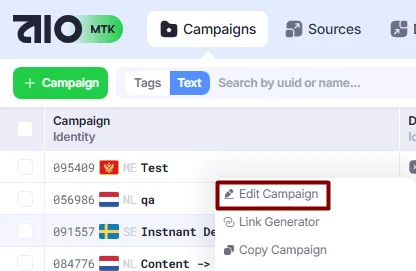
- Go to the Campaigns tab.
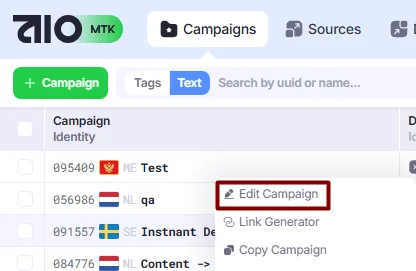
- Right-click on the desired Campaign and select Edit Campaign from the Action Menu.
- Click the Link Generator tab in the Edit Campaign window.
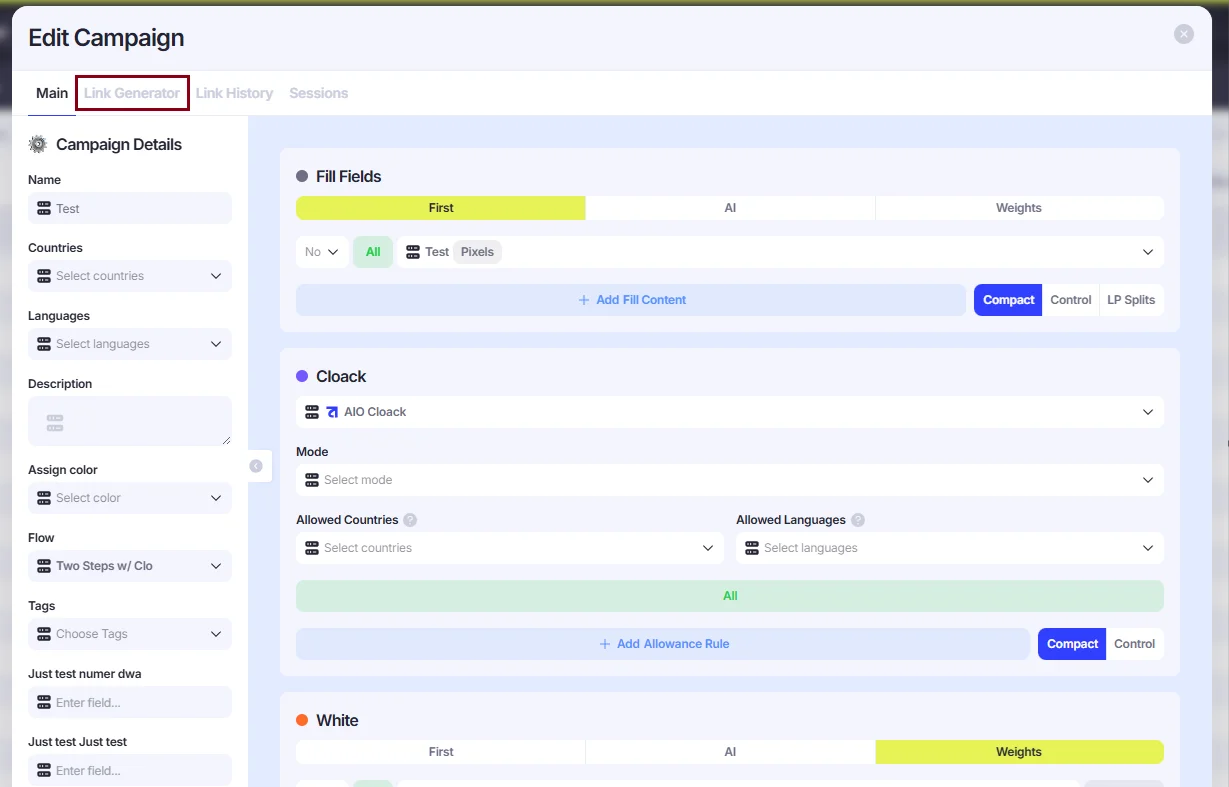
- Via the Edit Campaign window→Link Source.
- Go to the Campaigns tab.
- Right-click on the desired Campaign and select Edit Campaign from the Action Menu.
- In the editing window, fill in the following fields: Link Domain, Link Source, and any other fields associated with the selected source.
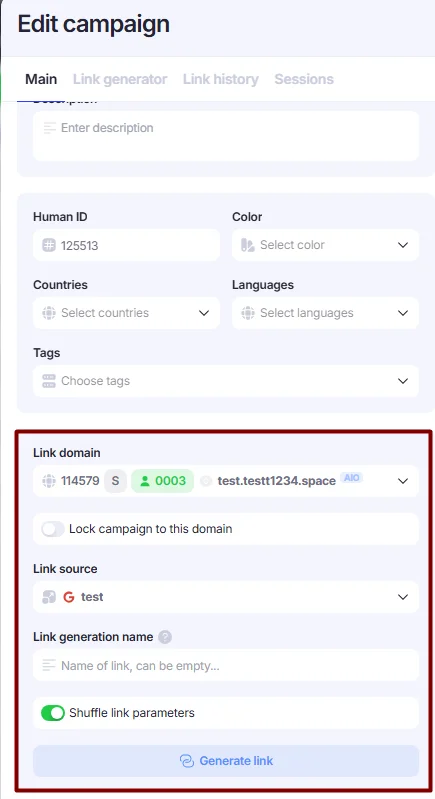
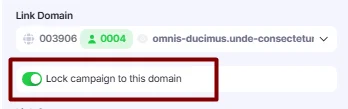
Additionally, you can use the Lock campaign to this domain toggle to prevent the campaign from opening with any other domain. By default, you can generate a link for any campaign using any domain added to AIO, but this toggle ties the campaign to a specific domain, and links with other domains will not open.
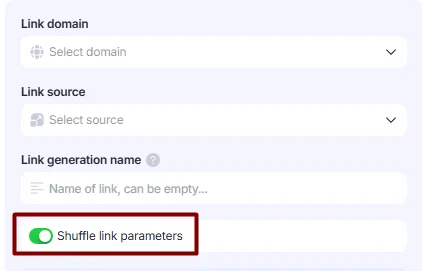
The Shuffle link parameters toggle determines whether the parameters in the generated link are arranged in a random order. Links with both shuffled and non-shuffled parameters work equally well. However, shuffled parameters can help reduce the likelihood of the link being detected by spy services.
For example, the default link has the following format:
https://exampledomain.com?cuuid=XXX&suuid=XXX&campaign_name={{campaign.name}}&site_source_name={{site_source_name}}&creative_name={{creative.name}}&ad_name={{ad.name}}
When the toggle is enabled, the parameters are added to the link in a random order. For example:
https://exampledomain.com?ad_name={{ad.name}}&cuuid=XXX&campaign_name={{campaign.name}}&suuid=XXX&site_source_name={{site_source_name}}&creative_name={{creative.name}}
Generating a link
The Link Generator creates a tracking link for the selected Source. This link typically includes core AIO parameters—Campaign UUID, Source UUID, and Launcher UUID—along with the assigned Domain and any parameters configured for the selected Source.
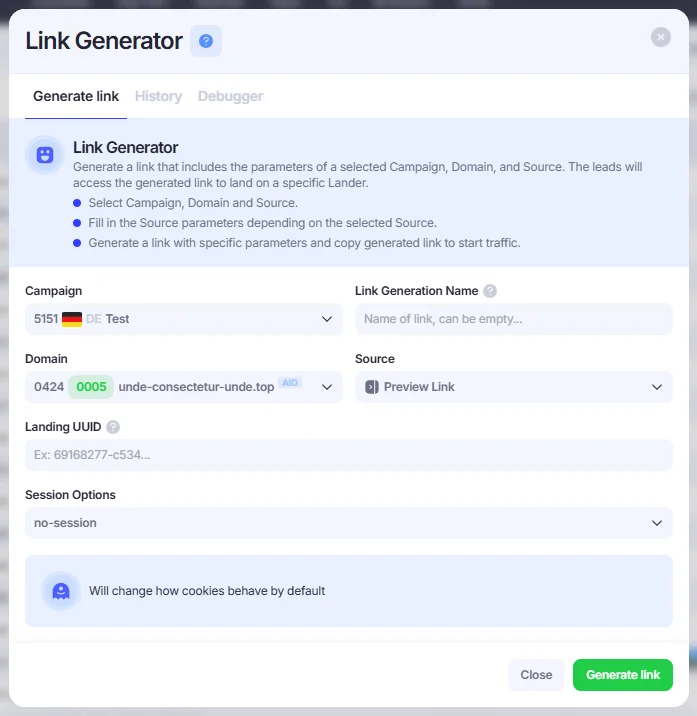
- To generate a link, you must select the following parameters:
- Domain. Select one of the Domains previously added in the Domains section. The generated link will use this Domain as the base URL.
- Source. Select one of the Sources previously added in the Sources section. Based on the configuration of the selected Source, you may be required to input values in additional fields or choose options from drop-down menus.
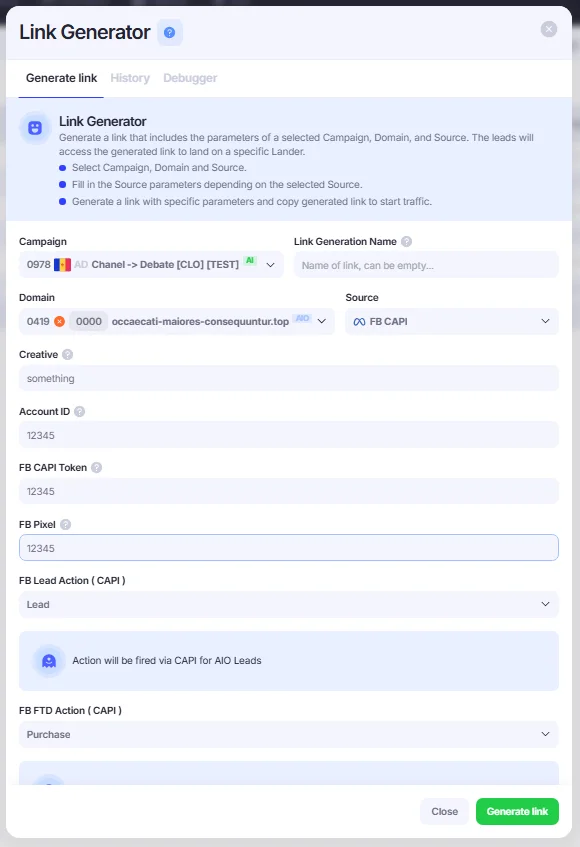
- Once you have filled the fields, click the Generate Link button.
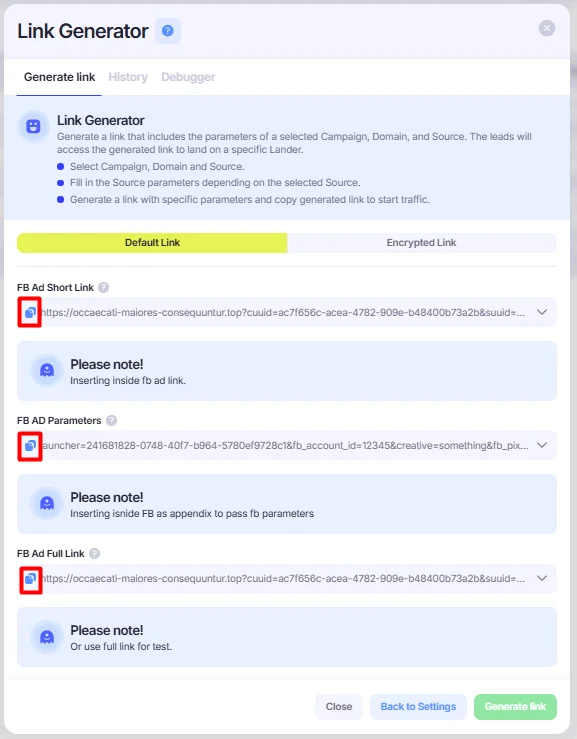
You’ll see the generated link, which you can copy by clicking the copy icon next to it. If the link is too long, click the expand button to view the full link in an expanded text field. Typically, there are three variants:
- Short link – contains only the essential AIO parameters (like
cuuidandsuuid) - Source parameters – includes only the parameters from the selected source
- Full link – combines both the short link and source parameters
You can copy either the short link and parameters separately or the full link to get everything in one.
Default Links, Encrypted Links, and Slug Links
The Default Link, Encrypted Link, and Slug Link tabs let you switch between different link formats.
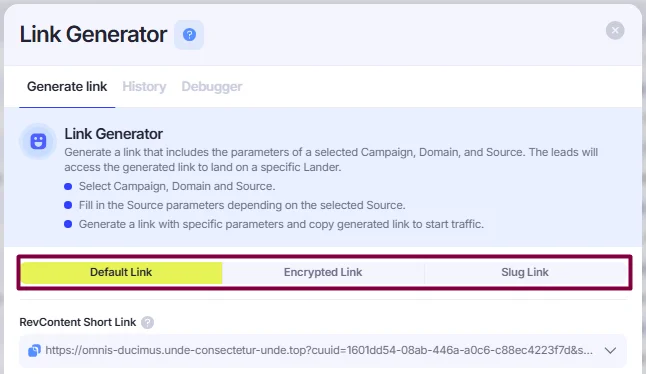
- Default Link shows the URL with readable parameters:
https://fugiat-quas-asperiores.top?cuuid=0a5cc11e-77d3-41ee-8fb4-6085e702478a&suuid=05f6d99d-bb79-41cb-8cdc-220782ae1dab&launcher=973d40e3-7f11-464e-a80d-fefd680079e1- Encrypted Link has its parameters encoded, making it unclear from the URL what actions it performs. This helps to obscure campaign details and protect sensitive tracking information.
https://fugiat-quas-asperiores.top?3df9e811368ec8826b87744b3664fb06=973d40e3-7f11-464e-a80d-fefd680079e1&a8452daabdd2632d4602e940c3cae321=05f6d99d-bb79-41cb-8cdc-220782ae1dab&36f50ba492e176e07e47c1d36c77b6df5fc6d944814d9d8ad671293638d654c6=25fc197531e12495acb1234d9e2962815d4882ead83510175c0ade9f3e79a33f1599e6c64ebebd2a78de6811a5ea411cec20880142318d74b2f0cda04666a23d4dfa27a6072066f5e46254859e6acedf&1a573df61b4c3bc2fdfcff664861a2bf=0a5cc11e-77d3-41ee-8fb4-6085e702478a- Slug Link shortens the URL, replacing the long default link with a short URL.
https://test.top/mHnligtOIPDefault and Encrypted links function the same way within AIO — they route traffic to your Campaigns and handle all necessary tracking, regardless of how the URL appears. The choice between them depends on your preference for visibility or obfuscation.
Slug links can be used to shorten only AIO parameters (cuuid, suuid, and any other fields related to AIO), but if you need to add any parameters of external systems (e.g., fb_campaign_name), they can be included in the link manually.
Debugger
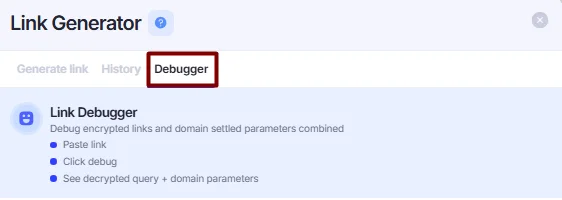
Any encrypted or slug AIO link can be debugged in the Debugger tool
1. Go to Debugger in the Link Generator window.
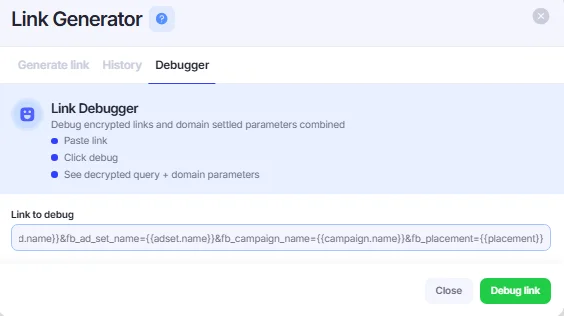
- Insert your encrypted link into the Debug field to begin the debugging process. Then, click Debug Link.
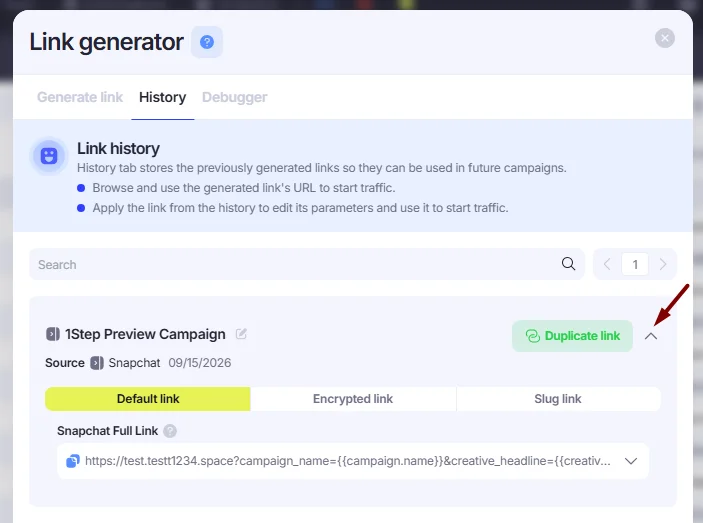
Link Generator History
The History tab in the Link Generator window stores all previously generated links. You can click the expand button next to any link to view its full content.