Add Domain Checkers
Introduction
This guide will walk you through the process of adding Domain Checkers to AIO. To do so, you need to have an active account with a domain checker service such as VirusTotal or Google Threat. Make sure you have the necessary API key or credentials ready when setting up the integration in AIO.
How to Add a Domain Checker
- Go to Settings →Domain Checkers→+Domain Checker.

- In the opened window, enter the Domain Checker Name and a brief Description. Then, select the required Integration Type from the available options.
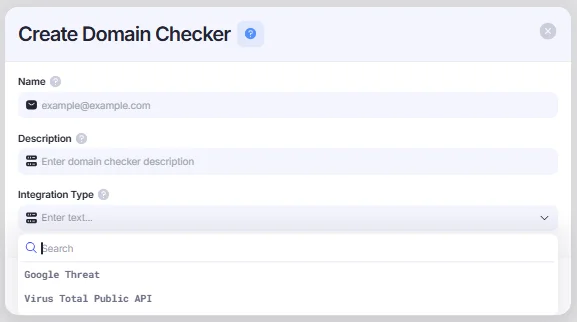
- Depending on the selected integration type, the required configuration fields may vary. Fill in all mandatory fields specific to the integration, such as API keys, client IDs, or any other authentication tokens.
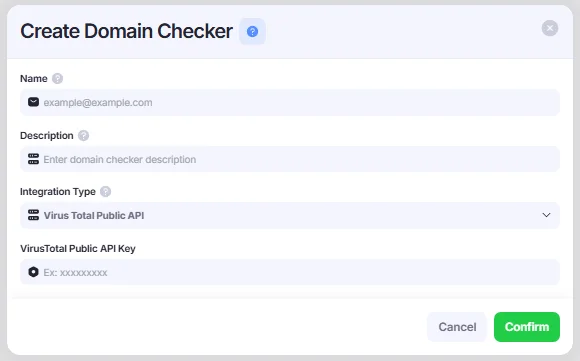
- Press Confirm to save your Domain Checker.
Domain Checkers enable you to scan your domains for potential security threats, helping ensure they remain safe, compliant, and operational within your campaigns.
If a domain is flagged as suspicious or malicious, a warning tooltip with detailed information about the detected issue will appear when you hover your mouse over the domain.