Get a Facebook Developer Token
How to get an API token for FB
- Log in to the Facebook account.
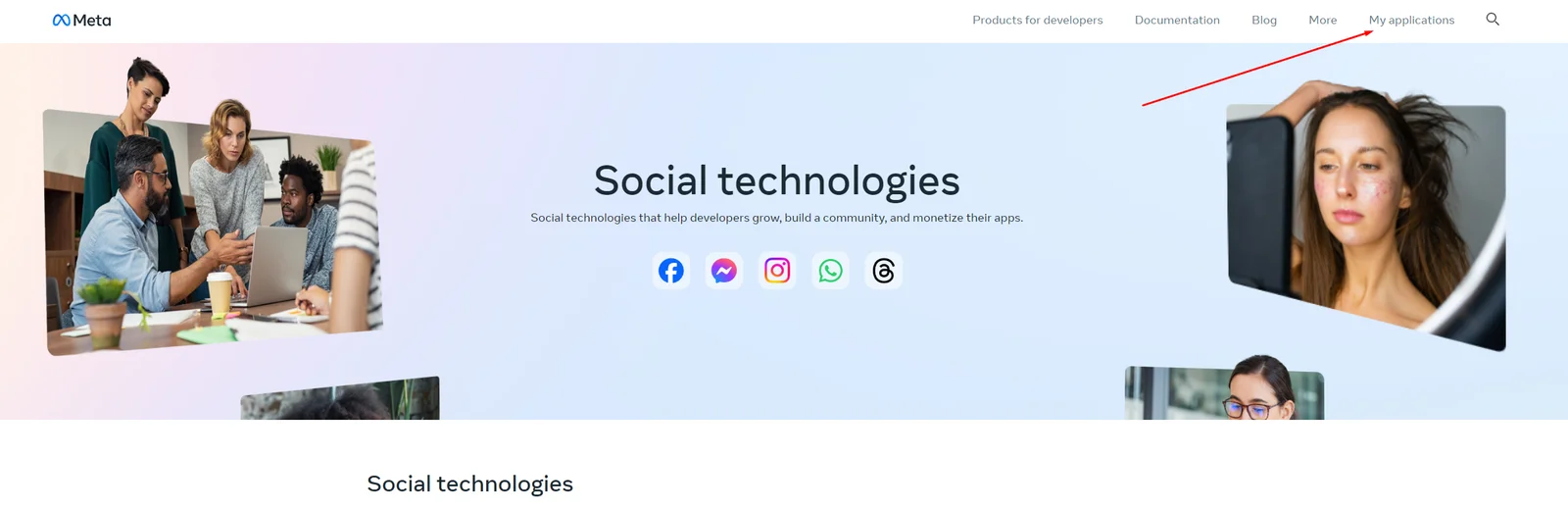
- Go to the Meta for Developers site and click “My applications”.
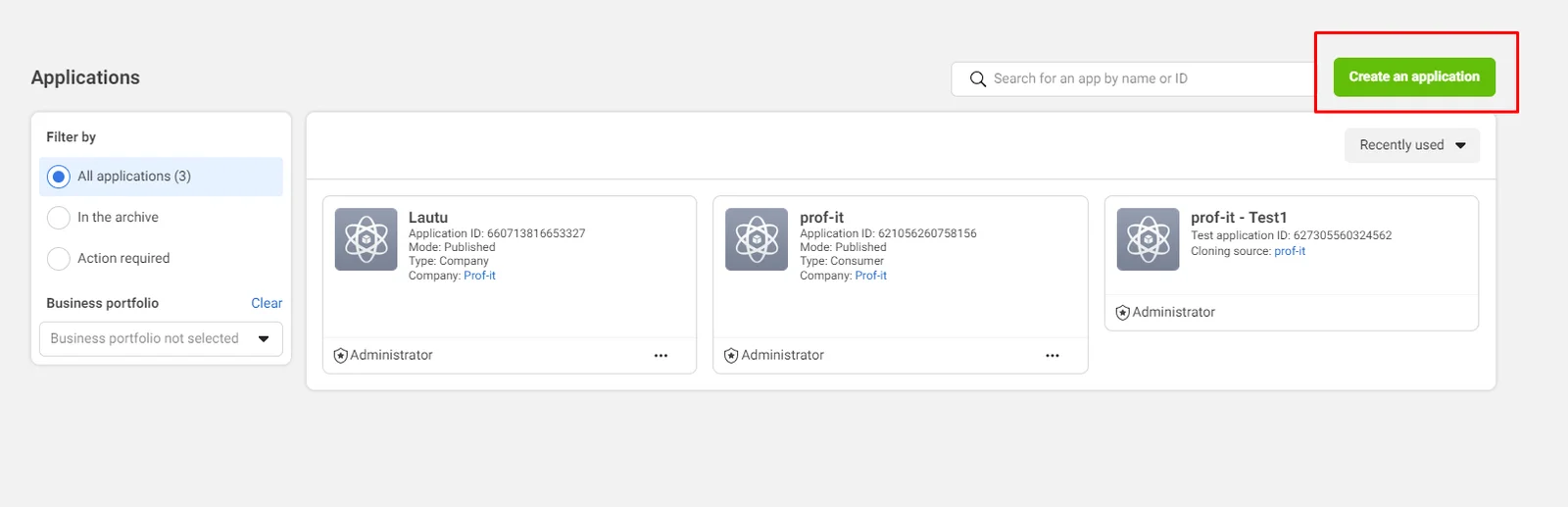
- Click the “Create an application” button.
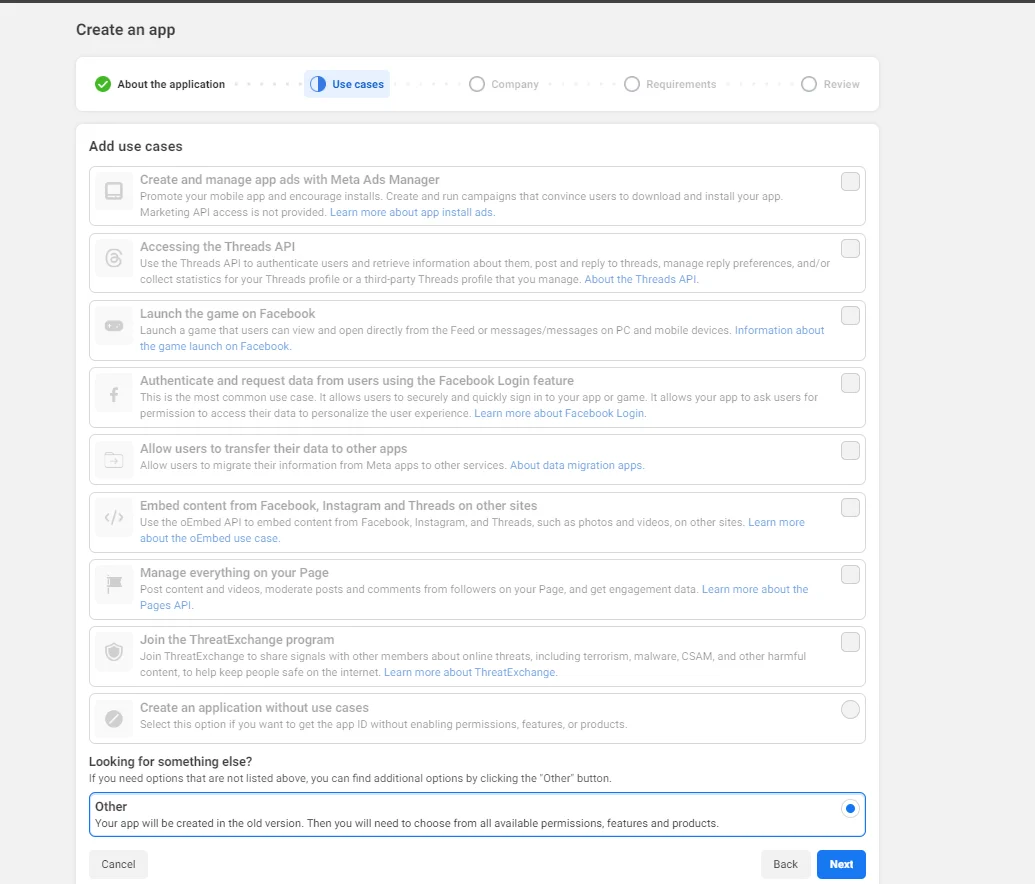
- Add the app name, enter the contact email, and go to the next step — select “Other” in the Use Cases and click “Next”.
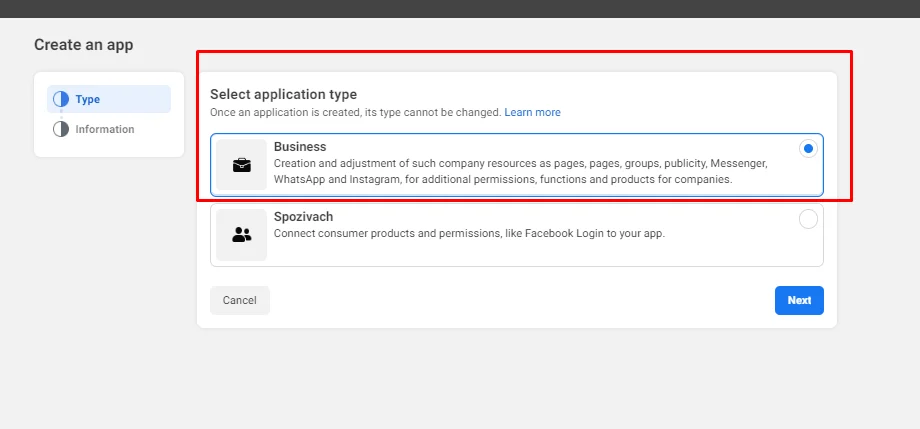
- Select “Business” as the application type, then click “Next.”
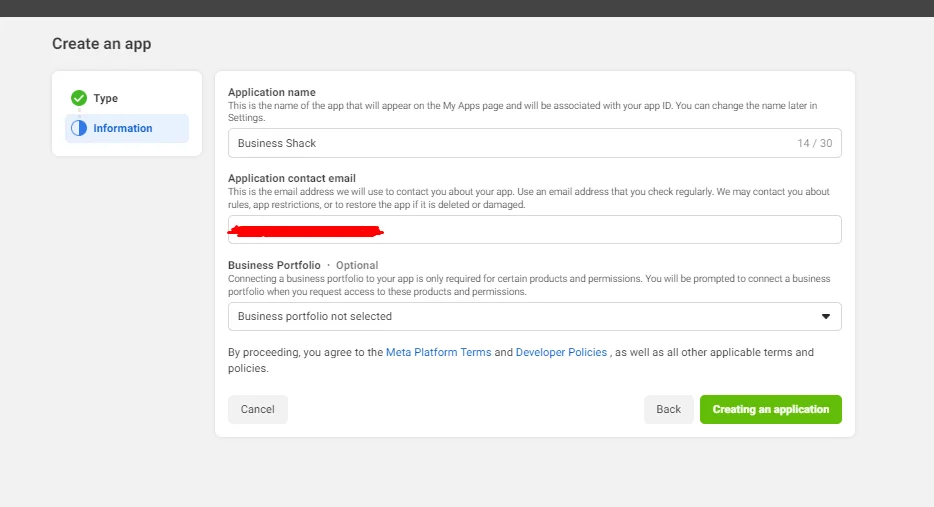
- Review your application name and contact email. If everything is correct, click “Creating an application.”
- To get the API token, choose the newly added app from the Panel and scroll down.
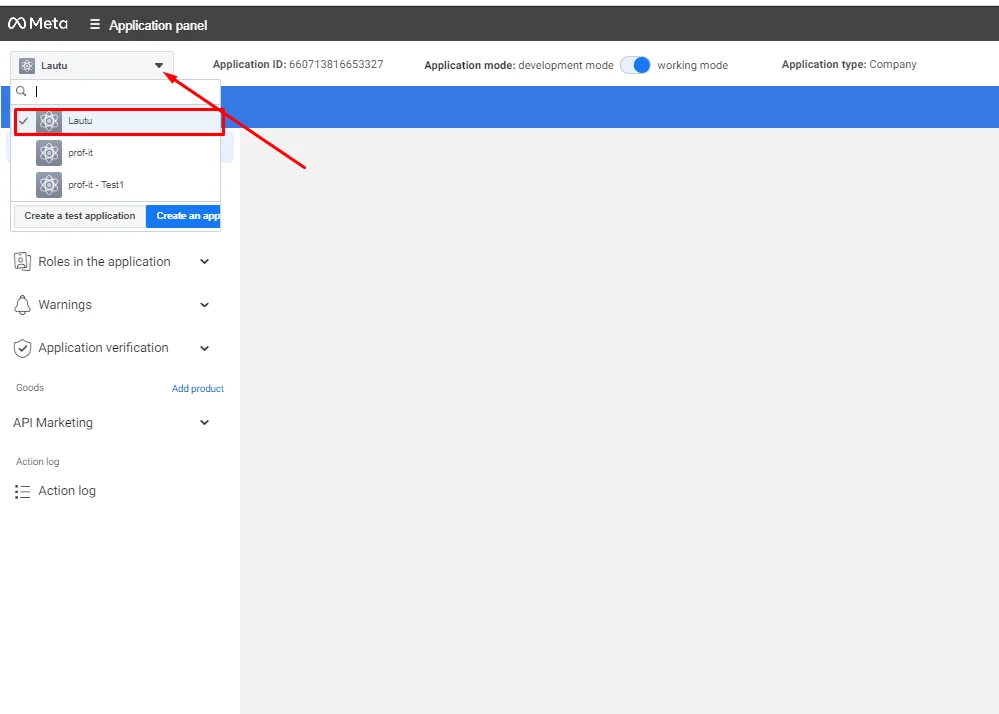
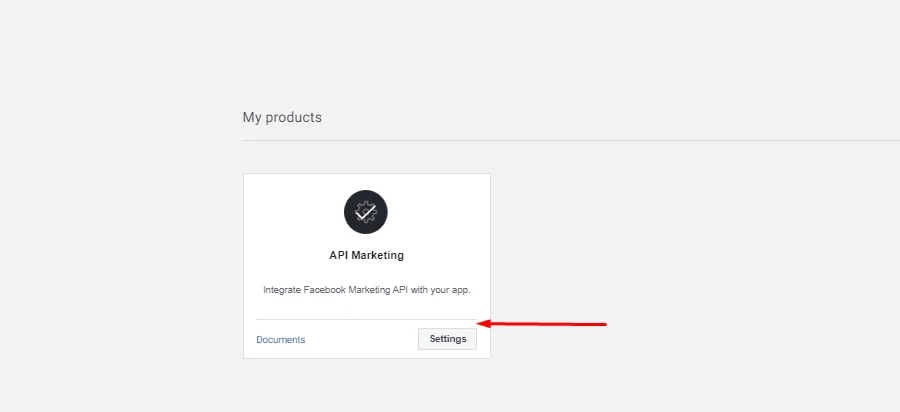
- You’ll see a section called “My Products” and a separate block “API Marketing.” Click on “Settings” within that block.
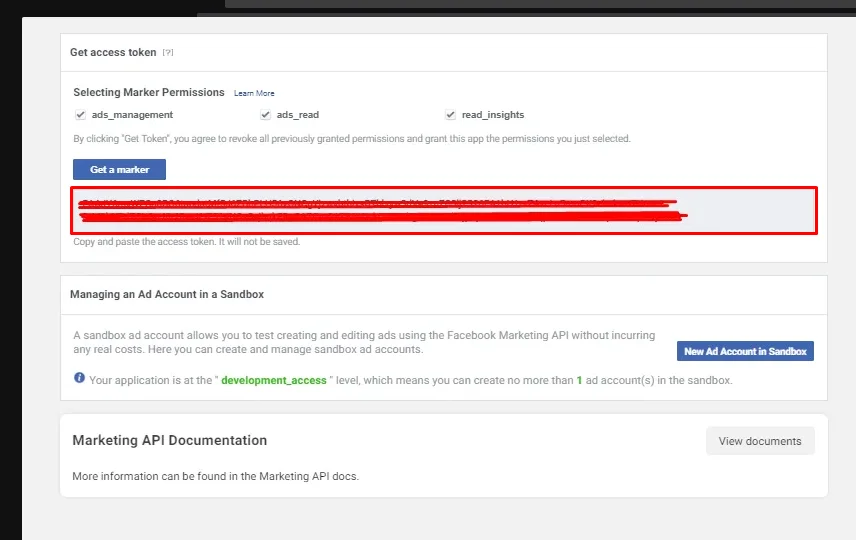
- You will be redirected to a new page — API Marketing Tools. To get the access token, make sure to select all the checkboxes: ads_management, ads_read, and read_insights.
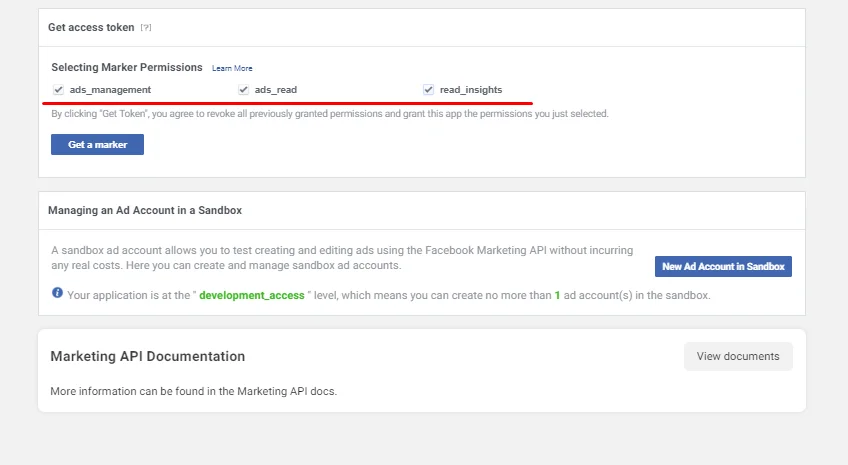
- After selecting the checkboxes, click “Get a marker”. Your API token will be generated.