Autofetch Facebook Ad Costs in AIO
Introduction
The Facebook ad costs autofetch feature allows you to pull data from campaigns running on Facebook into AIO and automatically transfer the values from the Facebook Spend field to the AIO Meta Spend or Costs fields. This guide will walk you through the process of connecting your Meta accounts to AIO to enable autofetch.
Adding Social Profiles
1. To view, add, and edit Social Profiles, go to Meta→Social Profiles.
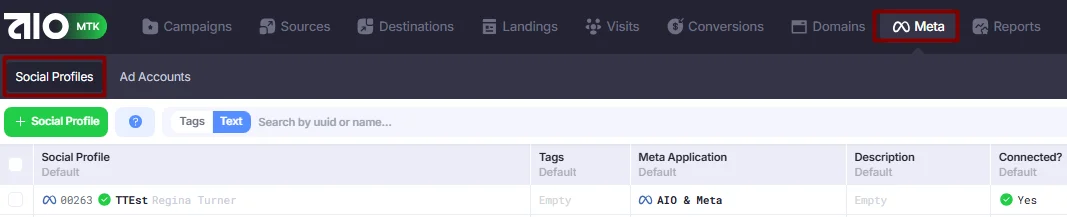
- Click +Social Profile.
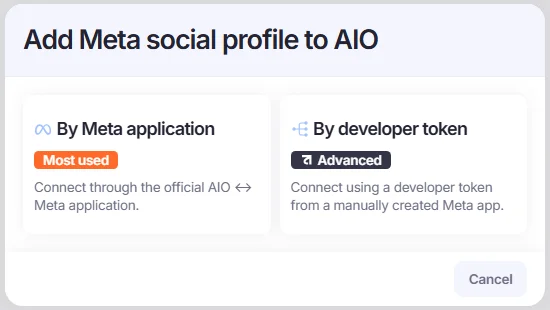
- Select the method for adding the social profile to the platform.
- By Meta Application method allows you to add an account using our official and verified Meta App. This is the most stable and reliable way to ensure uninterrupted data retrieval from your account.
- By Developer Token method allows you to add an account using a developer token.
- Complete the setup based on the method you selected:
By Meta Application
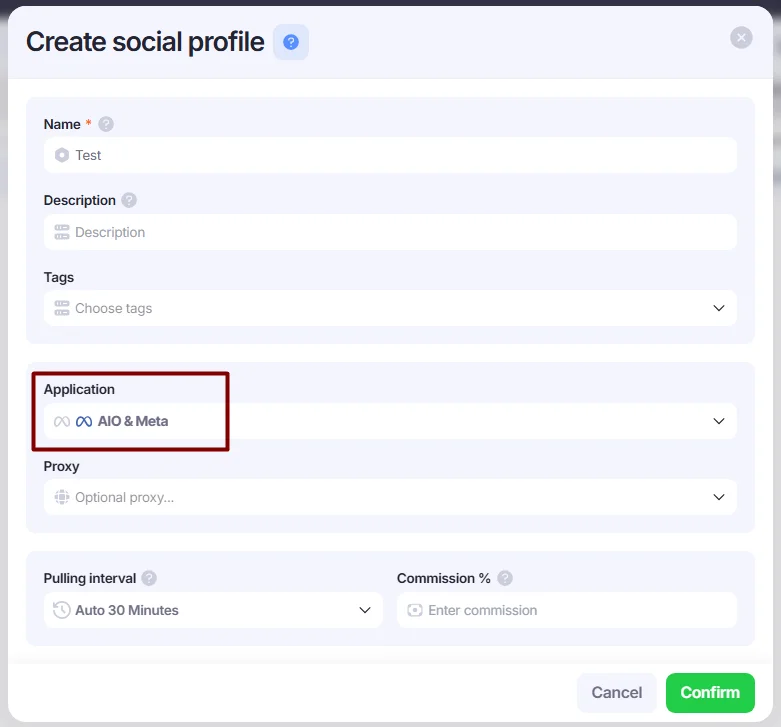
- Enter a name and select AIO&Meta from the Application drop-down list. You can leave the Proxy field empty.
- Define the Pulling Interval. It can be set to either Auto (recommended) or Manually. When set to Auto, data is automatically fetched from Facebook every 30 minutes.
If Manually is selected, you can fetch data manually by right-clicking the added social profile and selecting Pull data.
The Commission and Supplier fields are optional. You can specify a commission or select a previously added Supplier, and AIO will automatically add this percentage to the total cost. This feature is useful if you use rented accounts and need to pay a commission on total spend to the account provider, allowing you to see more accurate cost figures in AIO.
(Optional) You can add a supplier in +Social Profile → Manage Suppliers subsection.
- Click the Confirm button to save your Social Profile.
- Right-click the newly added account and select Connect. Then, paste the link your anti-detect browser to authorize the account.
By Developer Token
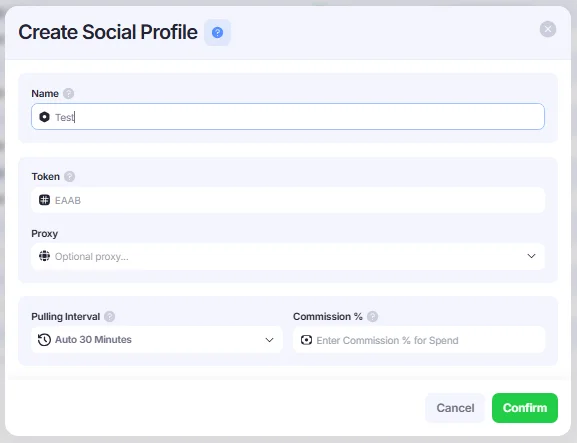
- Enter a name and insert your developer token into the Token field. You can leave the Proxy field empty.
- Define the Pulling Interval. It can be set to either Auto (recommended) or Manually. When set to Auto, data is automatically fetched from Facebook every 30 minutes.
If Manually is selected, you can fetch data manually by right-clicking the added social profile and selecting Pull data.
The Commission and Supplier fields are optional. You can specify a commission or select a previously added Supplier, and AIO will automatically add this percentage to the total cost. This feature is useful if you use rented accounts and need to pay a commission on total spend to the account provider, allowing you to see more accurate cost figures in AIO.
(Optional) You can add a supplier in +Social Profile → Manage Suppliers subsection.
- Click the Confirm button to save your Social Profile.
- Right-click the newly added account and select Connect. Then, paste the link into your anti-detect browser to authorize the account.
If you need help obtaining a token, refer to the guide: How to Get a Facebook Developer Token.
⏩If you have issues with any of the accounts, here’s how you can reconnect them:
- Right-click the desired Social Profile and select Disconnect.
- Select Connect again, copy the link, and paste the link into the antidetect browser while the required FB profile is open.
Transferring Costs from Meta to AIO Campaigns
Once you have added your Social Profiles and the fetched data (metrics and spend) is visible in the Meta tab, you can transfer advertising costs to your AIO campaigns. There are two methods available, depending on whether you use full tracking links (with the FB Ad ID parameter) or short links.
Meta Spend Field (for full links with FB Ad ID parameter)
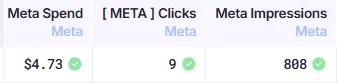
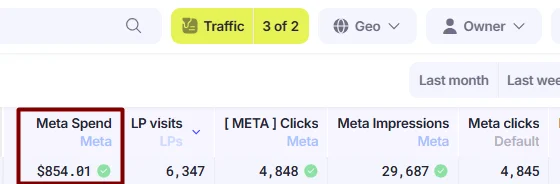
If your tracking links contain the FB Ad ID parameter, AIO will automatically attribute costs to the corresponding Campaign and populate the Meta Spend field. No additional configuration is required.
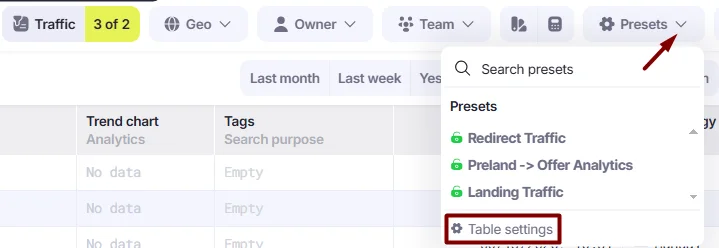
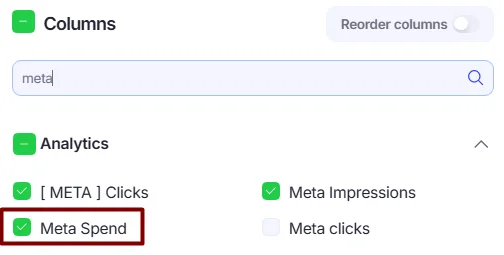
1. Go to Tracker → Campaigns and locate the Meta Spend metric.
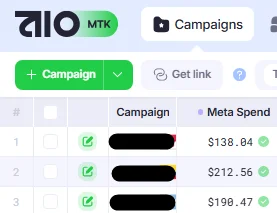
*If the metric is not displayed by default, you can add it via Settings → Table Settings.
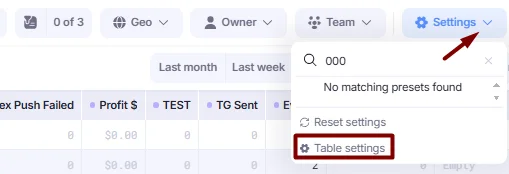
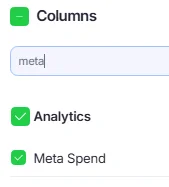
Please note: an AIO Campaign must receive at least one Visit before Meta costs can be allocated to it. Meta spend is distributed across valid Visits, so Campaigns without Visits will not receive any cost allocation.
Cost Field
For short links that do not contain the FB Ad ID parameter, AIO cannot automatically attribute Meta costs to Visits and the corresponding Campaign. In this case, you must enable cost transfer manually within the Campaigns section.
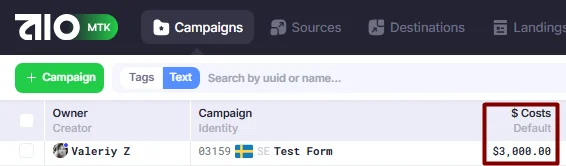
Once enabled, the imported costs will be displayed in the Costs field.
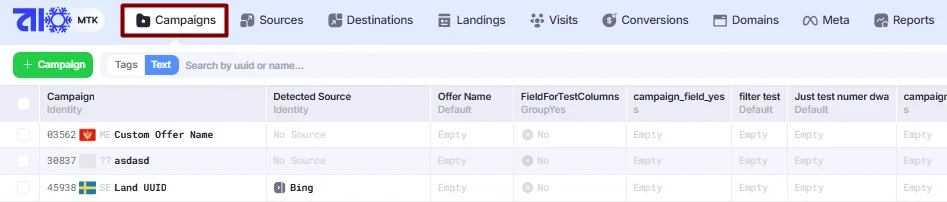
- Go to Campaigns.
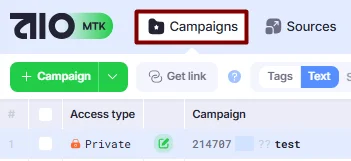
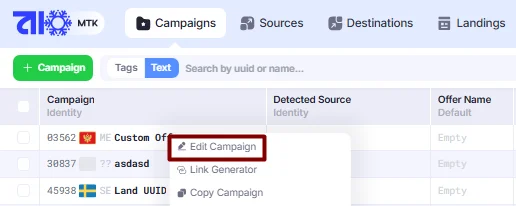
- Right-click the desired campaign and select Edit Campaign.
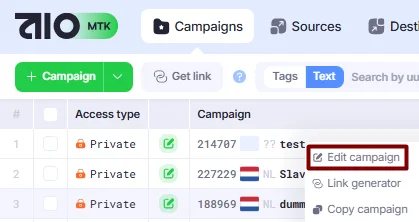
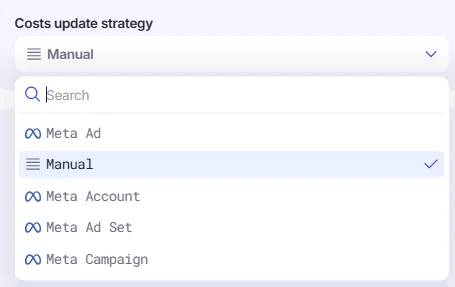
- Find the Cost Update Strategy section and select the desired strategy from the drop-down list:
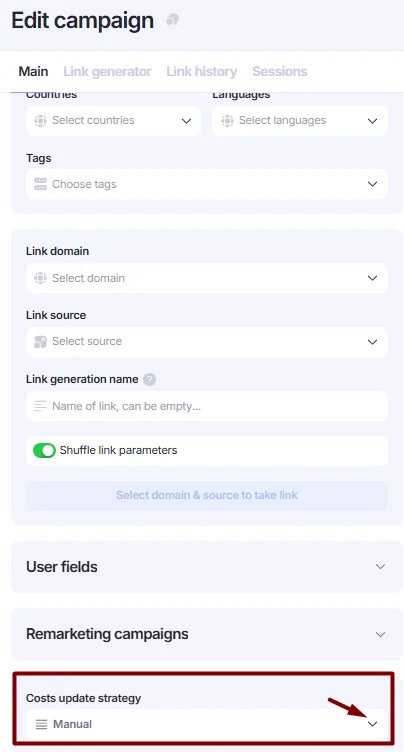
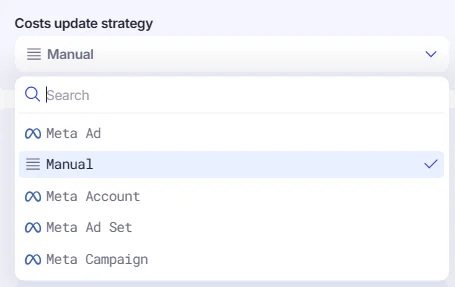
- Manual — the default option. Costs can only be updated manually.
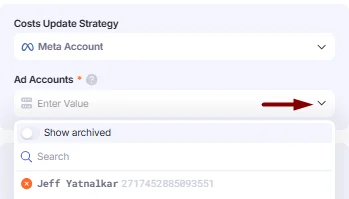
- Meta Account—AIO pulls the cost data directly from the selected FB Account ID and applies it to the corresponding AIO campaign on a 1-to-1 basis. It is especially useful when the Facebook tracking link is shortened and does not contain any FB parameters.
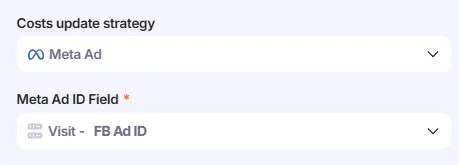
- AIO Meta — Visits must contain the FB Ad ID parameter in order to allocate costs correctly. However, when using full tracking links, we recommend relying on the Meta Spend metric, as it provides a simpler and more accurate way to attribute Meta costs.
- Meta Ad Set—AIO uses the FB Ad Set ID field to match and allocate Meta costs to the corresponding Campaign. To enable cost allocation, your tracking link must include the
fb_ad_set_id={{adset.id}}parameter. - Meta Campaign—AIO uses the FB Campaign ID field to match and allocate Meta costs to the corresponding Campaign. To enable cost allocation, your tracking link must include the
fb_campaign_id={{campaign.id}}parameter.
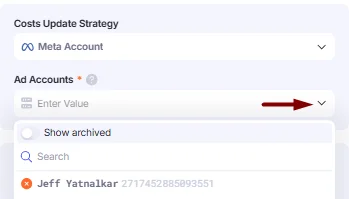
- Fill in the required fields depending on the strategy you selected:
- Meta Account: Select the Ad Account from which the cost for this campaign will be pulled..
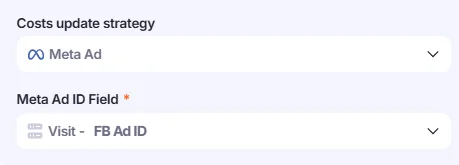
- AIO Meta, Meta Ad Set, Meta Campaign: The required fields are already pre-selected.
- Click Save to apply the changes. Costs will now be automatically pulled from Meta into this campaign and displayed in the Costs metric.
Where to View the Fetched Data
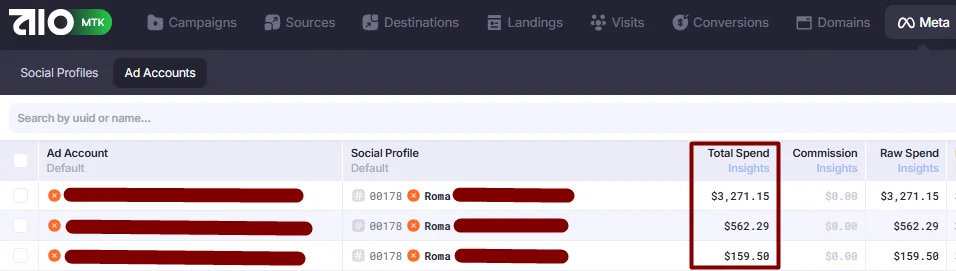
If the social account is added successfully, the fetched statistics from Facebook will appear in Meta → Ad Accounts. The cost will be transferred to AIO Campaigns depending on your setup:

- If you use full tracking links that contain the FB Ad ID parameter, the advertising spend will be available in the Meta Spend metric.
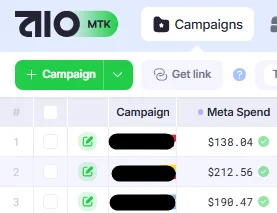
- If you enabled Cost strategy within the AIO Campaign, the data will be applied to the Costs field of the respective AIO campaigns.
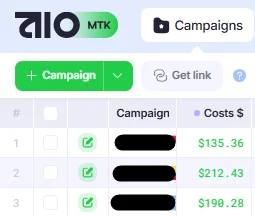
Please note that the costs for the current day may differ between the Spend column in the Meta tab and the Costs column in Campaigns. This discrepancy is due to the different pulling intervals between Facebook → AIO Meta and AIO Meta → AIO Costs. In other words, even if the current Spend is updated in the social account statistics on the Meta tab, it may not be immediately reflected in the Costs field, causing a slight delay.
This difference does not affect past time periods (e.g., yesterday), but you may notice some fluctuations throughout the current day.
Data Health
The Data Health section helps you quickly check and troubleshoot profiles with errors, verify that the fetched data is relevant, identify which Social Profiles and Ad Accounts require attention, and understand how data is pulled into AIO.
- Go to Meta→Data Health.

- You will see data from your accounts summarized in the following windows.
Ad Accounts
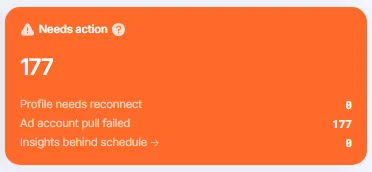
Needs action – Ad Accounts that are not updating and require your attention. You may need to reconnect the Social Profile or fix the Ad Account.
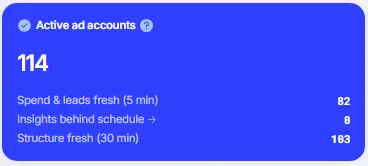
Active Ad Accounts – Ad Accounts that are currently active.
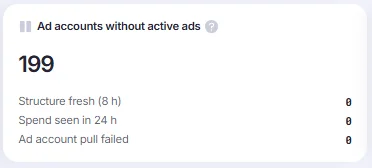
Ad Accounts without active ads.
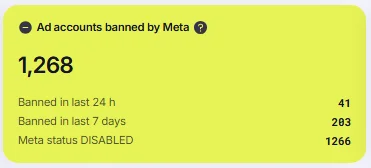
Ad Accounts banned by Meta – Ad Accounts with a DISABLED or CLOSED status.
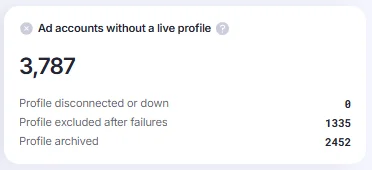
Ad Accounts without a live profile – Ad Accounts that do not have a live Social Profile. To fix this, you can reconnect the Social Profile, pull the data manually using the Pull data action, or unarchive the Social Profile if it is archived.
- You can click any window to open the list of accounts grouped by type. There, you can find more details about the profiles and related issues.

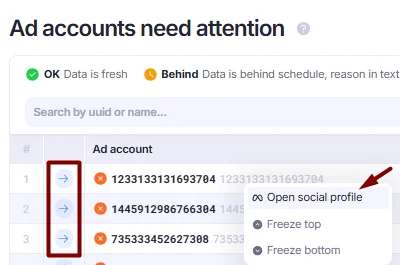
- To fix an error with an account, you can reconnect the Social Profile. You can open the Social Profile directly by right-clicking it and selecting Open social profile, or by clicking the arrow icon.
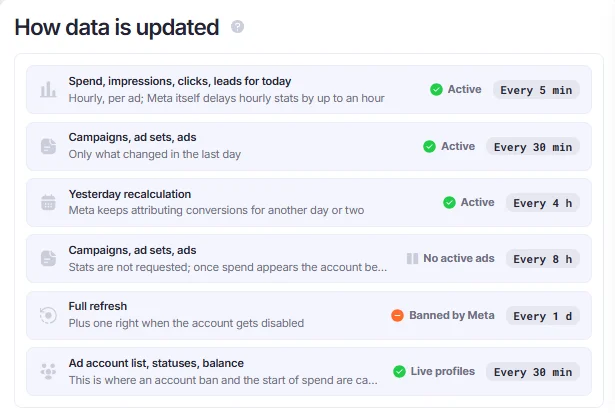
How Data Is Updated
This window shows how frequently data is fetched from Facebook to AIO. The frequency varies depending on the entity, time period, and whether the account is active or inactive.
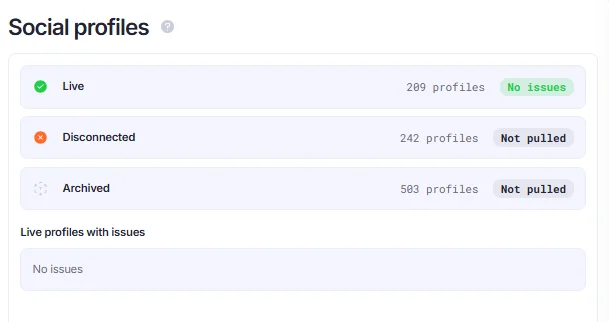
Social Profiles
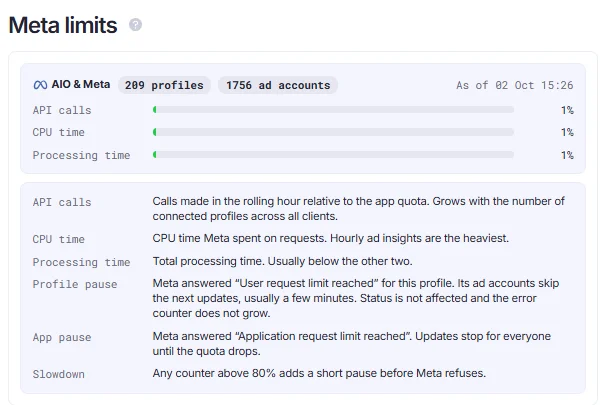
Meta Limits
This card shows whether any Meta API limits are close to being reached. When a limit is close to being reached, data fetching from Facebook slows down to help keep the account safe.
⏩If you have issues with any of the accounts, here’s how you can reconnect them:
- Right-click the desired Social Profile and select Disconnect.
- Select Connect again, copy the link, and paste the link into the antidetect browser while the required FB profile is open.